

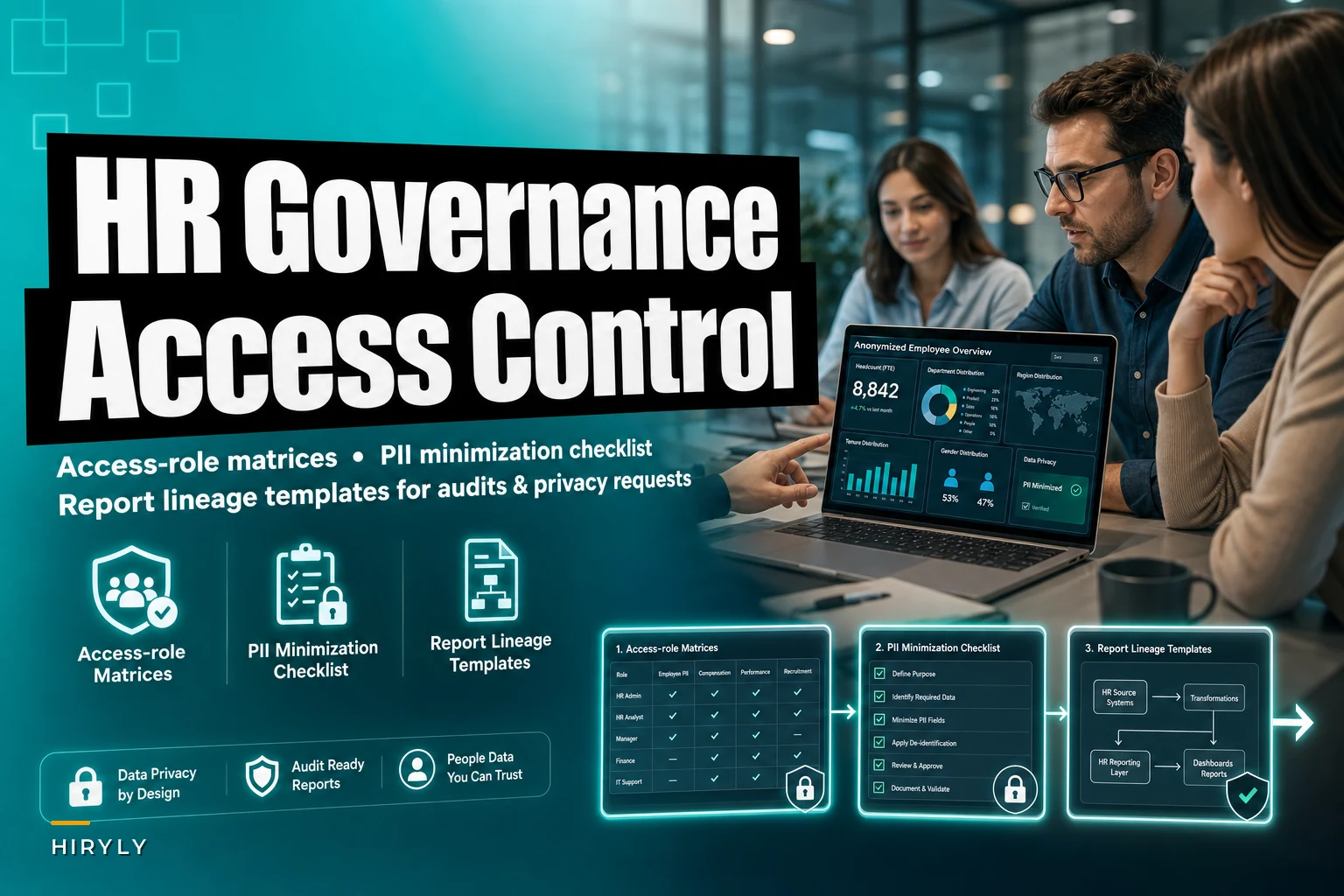

When compliance audits expose your data chaos
When compliance audits expose your data chaos
Your HR team just received notice of a privacy audit. The auditor wants documentation showing exactly who can access employee data, which reports contain PII, and how that information flows through your systems. You open your shared drive and find compensation spreadsheets buried across seventeen different folders, performance reviews scattered across three platforms, and no clear record of who has access to what.
This isn't unusual. HR data governance gets complicated fast, and most teams don't realize how complicated until someone external starts asking questions. You're managing sensitive information across recruiting platforms, HRIS systems, payroll software, benefits administration, and a graveyard of Excel files that somehow became load-bearing infrastructure.
By the time the audit notice arrives, you're reverse-engineering your entire data architecture while trying to keep everything else running normally.
Why HR teams struggle with data governance
HR departments handle more sensitive data types than almost any other business function — social security numbers, health information, compensation details, performance ratings, background check results, and personal employee situations spread across multiple systems.
Eliminate HR bottlenecks with smart automation.
Hiryly simplifies your HR operations so you can focus on people, not paperwork.
- Centralized candidate tracking
- Automated onboarding workflows
- Performance & compliance dashboards
No credit card required
The governance challenge compounds because HR data moves constantly. A single employee record might start in your ATS during recruitment, migrate to your HRIS after hiring, sync with payroll twice monthly, feed into benefits platforms during enrollment, and appear in reports emailed to managers throughout. Each handoff creates potential access control issues and PII exposure risks.
Most teams handle this reactively. Someone raises a concern about data access, so you tighten permissions in that one system. A manager accidentally sees salary data, so you lock down that specific report. An employee requests their data under privacy laws, and you spend three days manually pulling information from eight different sources.
That piecemeal approach creates a false sense of security. You've addressed individual incidents, but there's still no systematic control in place that actually prevents the next one.
Building your access control matrix
An access control matrix is really just a detailed map of who can see what data and why. The challenge in HR is that access needs vary dramatically by role while the stakes for getting it wrong stay consistently high.
Start by listing every system containing HR data — your HRIS, ATS, payroll platform, benefits systems, performance management tools, and yes, those shared drives. Then break down data categories within each system. Not just "employee data" — split it into compensation, personal information, performance ratings, disciplinary records, medical information, and recruitment data.
| System | Data Category | HR Manager | HR Specialist | Payroll Admin | Department Manager | Employee Self-Service |
|---|---|---|---|---|---|---|
| HRIS | Compensation Data | Full Access | View Only | View Only | Own Team Only | Own Record Only |
| HRIS | Performance Reviews | Full Access | Full Access | No Access | Own Team Only | Own Record Only |
| HRIS | Medical/FMLA | Full Access | Case-Specific | No Access | No Access | Own Record Only |
| Payroll | Tax Documents | View Only | No Access | Full Access | No Access | Own Record Only |
| ATS | Candidate Data | Full Access | Position-Specific | No Access | Interview Panel Only | N/A |
The matrix surfaces problems quickly. That payroll admin who helps with year-end reporting probably has broader HRIS access than their role requires. The recruiting coordinator who assisted with onboarding might still see candidate data for positions they stopped working on months ago. Department managers who got admin access to run their own reports could be viewing compensation data across the entire department.
Building this matrix forces uncomfortable conversations. Managers will insist they need broad access for "planning purposes." Long-term employees have accumulated permissions from previous roles. Someone will argue that restrictions make their job harder. These conversations matter because they expose the difference between convenient access and necessary access. It's easier when everyone can see everything — it's also how you end up explaining to regulators why a junior recruiter could export the company's full salary history.
PII minimization in HR datasets
Most HR reports contain far more personal information than necessary. The monthly headcount report showing employee names, departments, and start dates? The names are probably unnecessary. The turnover analysis with termination reasons listed by employee ID? Those IDs might be enough to identify individuals anyway.
PII minimization means removing or obscuring personal information that isn't essential for the report's actual purpose. This gets tricky in HR because personal data often feels essential. How do you track diversity metrics without demographic data? How do you analyze pay equity without linking compensation to individuals?
The answer is understanding when you need identified data versus when aggregated or pseudonymized data is sufficient. A compensation analysis for pay equity might require individual-level data during the analysis phase, but the final report shared with leadership should only contain aggregated findings by level and department.
A working PII minimization checklist for common HR reports:
Headcount Reports
-
Remove
Names, employee IDs, birthdates
-
Keep
Department, role title, FTE status
-
Replace with
Anonymous count by category
Turnover Analysis
-
Remove
Names, specific termination dates, manager names
-
Keep
Turnover percentages, tenure brackets, department trends
-
Replace with
Quarterly aggregates, role categories instead of individuals
Compensation Reviews
-
Remove
Names, employee IDs, exact salaries
-
Keep
Salary bands, comparative ratios, years of experience
-
Replace with
Position-level averages, percentile distributions
Time-off Tracking
-
Remove
Specific dates taken, reasons for leave
-
Keep
Days available, days used by type
-
Replace with
Department-level utilization rates
Running through this process usually reveals that PII exists in reports out of habit, not necessity. That recruiting pipeline report with candidate names and contact information? Hiring managers just need pipeline status by stage. The benefits enrollment summary with employee SSNs? HR only needs participation rates by plan type.
Some teams worry that minimization destroys analytical capability — if you can't trace a data point back to an individual, how do you investigate anomalies? It's a valid concern. The practical solution is keeping detailed data in source systems with strict access controls, creating minimized versions for broader distribution, and maintaining lookup tables that let authorized personnel research specific cases when needed.
Creating report lineage documentation
Report lineage might sound like something only data engineers care about, but for HR teams facing audits or privacy requests, it's the difference between a straightforward review and weeks of detective work.
Lineage documentation tracks how data moves from source systems through transformations into final reports. When an auditor asks where the demographic data in your diversity report comes from, or when an employee requests all reports containing their information under privacy law, lineage documentation gives you immediate answers instead of guesswork.
Most HR teams run dozens of regular reports with no documentation of how they're actually built. The monthly headcount report pulls from the HRIS, but does it include contractors from the vendor management system? The retention analysis uses termination data, but does it filter out seasonal workers? The compensation benchmark report combines internal and external sources — but which external database provides the market rates?
Start by documenting lineage for your five most critical reports. For each one, capture:
Source Systems
-
Primary data source (HRIS, ATS, Payroll)
-
Secondary sources (spreadsheets, external databases)
-
Update frequency of each source
-
System owner or administrator
Data Transformations
-
Filters applied (active employees only, full-time only)
-
Calculations performed (tenure calculation, compa-ratio)
-
Data combinations (joining performance and compensation)
-
Manual adjustments or overrides
Distribution List
-
Regular recipients
-
Access permissions in reporting platform
-
Sharing method (email, dashboard, shared drive)
-
Retention period for historical versions
PII Elements
-
Personal identifiers included
-
Sensitivity level of data
-
Anonymization or aggregation applied
-
Legal basis for processing (if required)
Here's a simple visual of the lineage workflow.
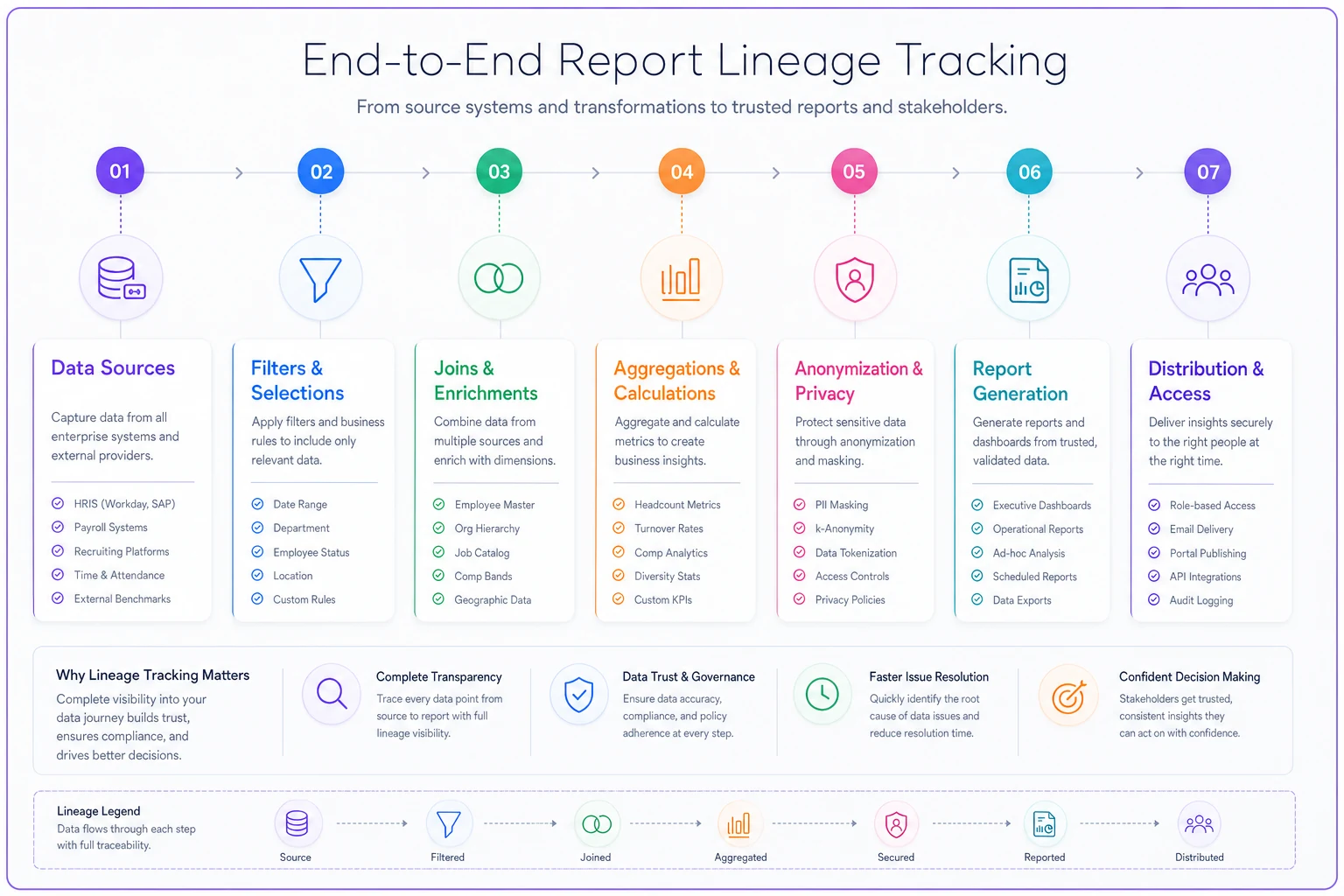
A simple lineage flow for a turnover report might look like this:
``
HRIS (Employee Data)
  → Filter: Terminations Last 12 Months
  → Join with Performance Data
  → Calculate: Tenure at Termination
  → Aggregate by Department
  → Remove PII
  → Monthly Turnover Report
  → Email to Leadership Team
``
This becomes invaluable during audits. When regulators ask about data retention, you can show exactly how long reports containing PII are kept. When employees request data deletion, you know which reports to update. When new privacy regulations come into effect, you can assess which reports need modification without starting from scratch.
Audit scenarios you should prepare for
HR teams typically face three types of data governance audits: regulatory compliance reviews, internal risk assessments, and privacy rights requests. Each requires different documentation, but they tend to expose the same underlying gaps.
Regulatory audits focus on whether you're meeting specific legal requirements. Can you prove that only authorized personnel access payroll data? Do you have documentation showing PII is encrypted in transit? Can you demonstrate that employee health information is separated from general HR records? These reviews want evidence of systematic controls, not good intentions.
Internal audits usually come from IT security, legal, or compliance teams checking whether HR follows company-wide data policies. These often surface HR-specific exemptions or workarounds that never got documented — the direct database access an HR analyst uses for custom reports, the shared folder with offer letters that predates your document management system. Internal audits find these exceptions reliably.
Privacy requests challenge your governance from a different angle entirely. When an employee invokes their right to access or delete personal data, you need comprehensive knowledge of every system and report containing their information — including the Excel file tracking team building preferences, the shared calendar with PTO requests, and email threads discussing their promotion.
Preparing for audits means documenting your actual operations, not just your ideal processes. That includes the uncomfortable parts — the manager who exports data to a personal drive for remote work, the spreadsheet that became mission-critical by accident, the vendor with broader system access than their contract specifies.
Managing distributed HR data reality
The messiest part of HR data governance is that employee information lives everywhere. Your HRIS might be the system of record, but real data exists in email threads about accommodations, spreadsheets tracking return-to-office preferences, manager notes in performance tools, and chat messages about team dynamics.
Traditional governance approaches don't work well here. You can't lock down one system and declare victory when sensitive information is scattered across tools that weren't designed to hold it.
Start by identifying shadow IT in your HR processes — the unofficial tools and workflows that emerged because official systems didn't meet operational needs. The recruiting coordinator using personal Gmail for candidate scheduling. The benefits administrator tracking enrollment issues in a personal Notion workspace. The HR business partner keeping performance notes in OneNote. These systems contain real HR data but exist entirely outside your governance framework.
Rather than eliminating these practices (which rarely works), bring them into compliance. Create approved alternatives that meet the same operational needs. If recruiters use personal email because the ATS is too slow, work with IT to improve performance or find approved communication tools. If HR business partners keep separate notes because the HRIS is too rigid, implement a case management system with proper access controls.
Document acceptable use boundaries for distributed data:
-
Temporary working files can exist locally but must be deleted after processing
-
Email can contain employee names and situations but not SSNs or health details
-
Collaboration tools can host project data but not permanent employee records
-
Personal devices can access HR systems through secure portals but cannot store downloads
This acknowledges that HR work requires flexibility while still maintaining governance standards. Perfect centralization isn't the goal — knowing where data exists and ensuring each location meets minimum security and privacy requirements is.
Building sustainable governance workflows
The best HR data governance framework means nothing if it requires constant manual enforcement. Compliance needs to be the natural default, not an extra burden.
Consider how most teams handle new hire data access. Someone joins HR and needs system access to do their job. The typical process: request access to everything the previous person had, plus anything else that seems useful. Six months later, that person has accumulated permissions across eight systems, half of which they rarely use.
A governed workflow looks different. New HR team members get role-based access templates reviewed quarterly to confirm they match actual job requirements. When someone changes roles, previous access is revoked and replaced — not supplemented. When someone leaves, access is terminated immediately across all systems, not just the main HRIS.
Keep a versioned library of role-based access templates so you can track changes to permissions over time and justify them during audits.
Build governance checkpoints into existing HR processes:
New System Implementation
-
Data classification before go-live
-
Access roles defined by job function
-
PII handling rules documented
-
Report lineage tracked from day one
Report Creation
-
PII necessity review before building
-
Distribution list approval required
-
Retention period specified upfront
-
Lineage documentation completed
Annual Planning
-
Access matrix review with all stakeholders
-
Shadow IT assessment and remediation
-
Outdated report retirement
-
Compliance training refresh
Employee Lifecycle
-
Onboarding includes data handling training
-
Role changes trigger access review
-
Departures include data transfer protocols
-
Privacy requests have defined workflows
The key is making governance part of operational rhythm rather than a separate initiative. When it becomes "how we do things" instead of "extra things we do," it actually sticks.
Automation opportunities in HR data governance
Most HR teams manage data governance through spreadsheets, periodic reviews, and manual checks. This works until it doesn't — usually when audit pressure or data volume makes manual governance unsustainable.
Modern AI-powered operational software can automate large portions of HR data governance without requiring a complete system overhaul. Access control automation can synchronize permissions across multiple HR systems based on role definitions in your HRIS. When someone's job title changes, their access rights update automatically across connected platforms — no spreadsheet tracking, no quarterly reviews that miss recent changes.
PII detection automation scans reports and datasets for sensitive information patterns. Instead of manually reviewing every report for SSNs, birth dates, or health information, automated tools flag potential PII exposure before distribution. This catches accidental inclusion of sensitive data that humans routinely miss during routine report generation.
Report lineage tracking becomes manageable when automation logs data movement between systems. Each time data exports from your HRIS to a reporting tool, or flows from recruiting to onboarding systems, the tracking creates an audit trail automatically. When regulators ask about data flows, you have documentation — not a reconstruction from memory.
Privacy request fulfillment also improves significantly with automated data discovery. When an employee requests their personal data, the platform can search across connected systems and compile comprehensive results. Instead of manually checking a dozen different platforms, you run a single search that surfaces all instances of that employee's information.
These automations handle the repetitive governance tasks that humans do poorly at scale. Your HR team still decides who should have access to what, which data is necessary for which purpose, and how to respond to unique situations — but the implementation, monitoring, and documentation happen automatically.
Moving beyond reactive governance
Organizations with strong HR data governance didn't get there by responding to audits. They built governance into their operational foundation before anyone asked for documentation.
That means treating data governance as an operational capability, not a compliance checkbox. Your access control matrix becomes a living document that drives system configurations. Your PII minimization standards shape report design from the start. Your lineage documentation gets created alongside new processes, not reconstructed afterward.
Start with small, concrete improvements. Pick one critical HR report and document its complete lineage. Choose one system and clean up its access controls using a proper matrix. Select one data category and implement PII minimization standards. These focused efforts build governance habits that expand naturally over time.
The goal isn't perfect governance — that's neither achievable nor necessary. The goal is governance that's solid enough to protect employee privacy, satisfy regulators, and support operational needs without creating bureaucratic overhead. When someone asks who can access compensation data, you have a real answer. When an employee requests their information, you can provide it completely. When auditors review your practices, your documentation reflects reality.
HR data governance is easy to deprioritize — it doesn't drive revenue, and the consequences of weak governance are invisible right up until they aren't. But it pays off when you're not scrambling during an audit, when privacy requests don't derail your week, and when managers trust that sensitive conversations stay confidential. Most importantly, it builds employee trust — and that's harder to recover once it's gone.
HR data governance is easy to deprioritize — it doesn't drive revenue, and the consequences of weak governance are invisible right up until they aren't. But it pays off when you're not scrambling during an audit, when privacy requests don't derail your week, and when managers trust that sensitive conversations stay confidential. Most importantly, it builds employee trust — and that's harder to recover once it's gone.
Ready to transform your HR processes?
Join thousands of HR teams using Hiryly to hire faster, engage employees better, and stay compliant effortlessly.